Turn scanned documents into data you can ask.
Varnamala reads every page, works out what kind of document it is, and pulls out fields, tables and signatures with their exact place on the page. Your team confirms what it read, and every answer points back to its source.
Upload from your device or sync from Google Drive and Amazon S3. Hosted by us, or installed on-premise and air-gapped in your own network.
- PDF, JPG and PNG
- Pages rendered at 200 DPI
- Sideways scans turned upright
- Duplicate uploads caught by hash
- Automatic document classification
- Forms, tables and signatures
- Bounding box for every block
- Human review before ingest
- Versioned schemas
- Vector + keyword search
- Answers with citations
- Google Drive and Amazon S3
- Append-only audit log
- Bikram Sambat and Gregorian dates
- Hosted, or on-premise and air-gapped
Documents are more than files
To your drive, a scanned document is just a file. To your business it is a name, a date, an amount, a signature — locked inside pixels, invisible to search, retyped by hand. Varnamala reads those pixels, checks its work with you, and turns them into fields you can query.
How it works
One document, start to finish.
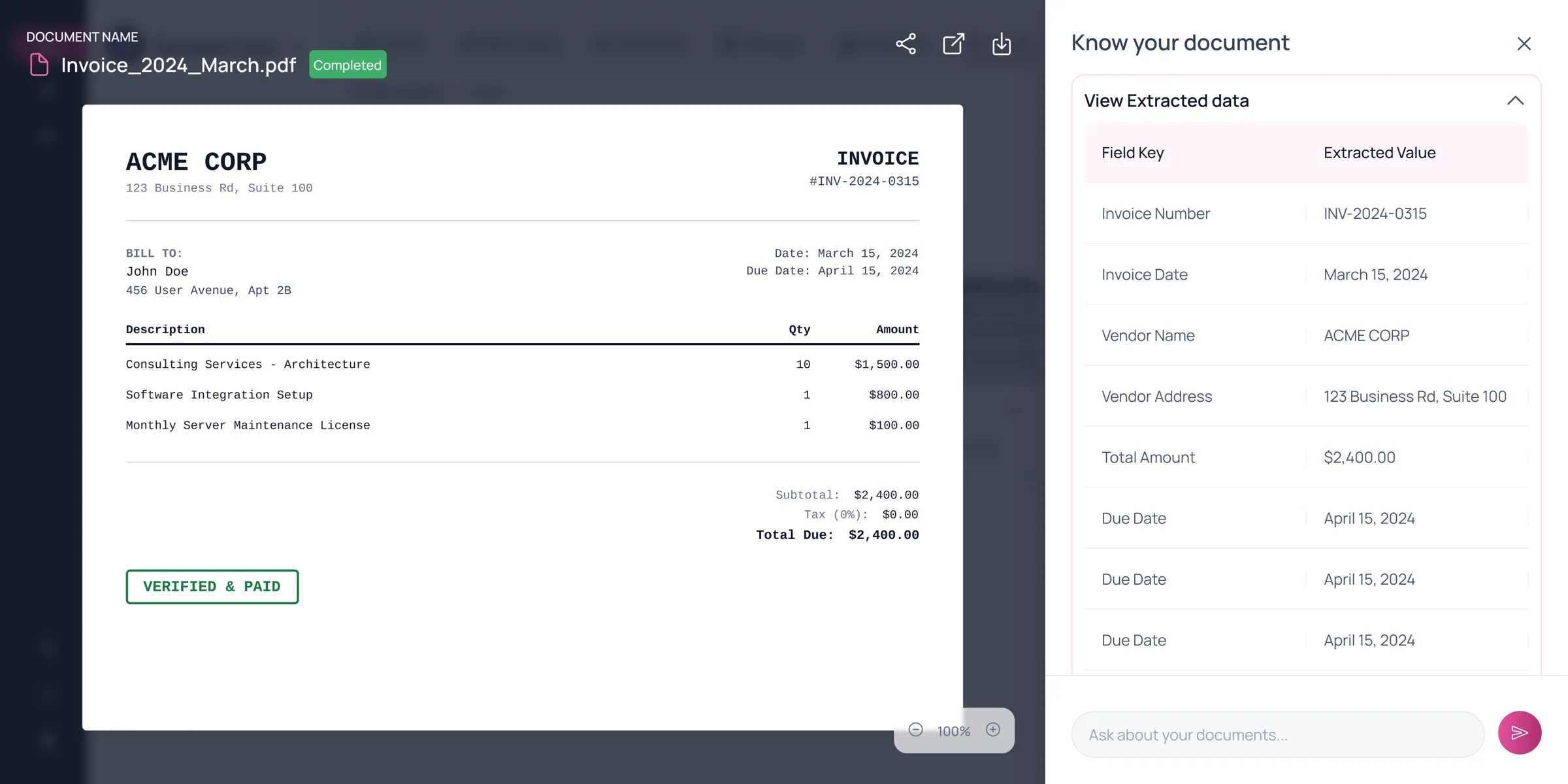
The same stages you see in the product, shown here on a sample bill. Contracts, cheques, certificates and forms move through the same flow.
A sample bill is uploaded and hashed, normalized, classified as a bill, read into text, form, table and image blocks, approved by a reviewer, and finally stored as structured fields: bill number BL-2024-0315, bill date 2024-03-15, due date 2024-04-15, vendor ACME CORP, bill to John Doe, three line items, subtotal 2400.00, tax 0.00 and total due 2400.00.
- Uploaded
- Normalizing
- Classifying
- Reading
- Review
- Structured
File hashed · no duplicate in this workspace
The workspace
One place for every document you own.
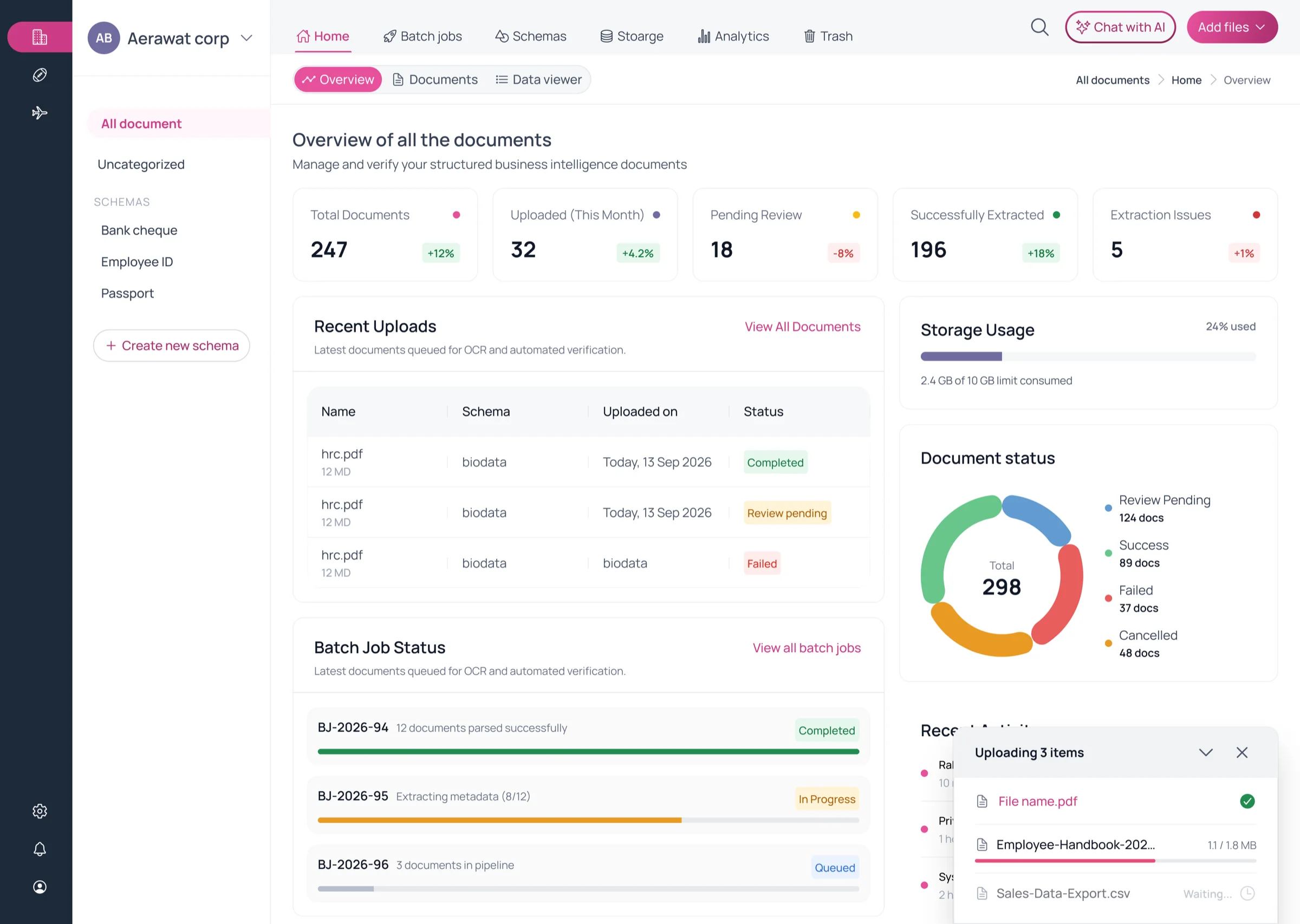
Documents, schemas, batch jobs and chat sit side by side, scoped to the workspace and the permissions of whoever is looking.
- Schemas per document typeBank cheque, Employee ID, Passport — each with its own fields.
- Workspace at a glanceTotals, pending review, extracted and failed.
- Status on every documentCompleted, review pending or failed, updated live.
- Batch jobsProgress for bulk imports; pause, resume or retry.
- Chat with AIAsk across everything this workspace holds.
Human in the loop
The model reads. Your team confirms.
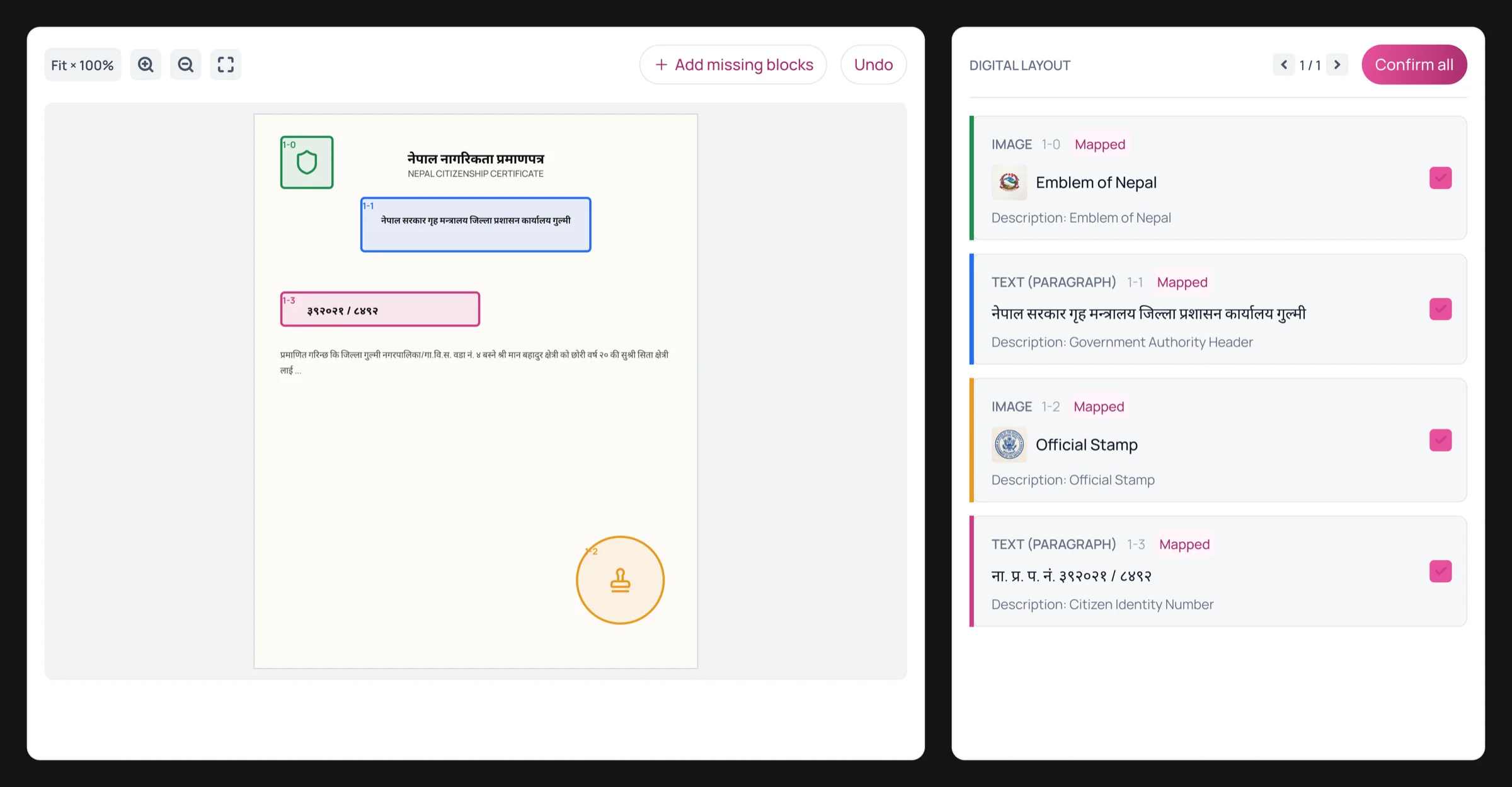
Every block the model finds is drawn on the page and listed beside it, typed as text, form, table, image or signature. Reviewers see exactly what was read, and where.
Draw what it missed
Outline a region on the page and only that region is re-read — using the rest of the page for context — with a confidence score for each box.
Approve or reject
Nothing is committed until someone with review rights signs off. Rejected documents stay out of search.
Skip review only by design
Auto-approve is its own permission, separate from review, so you decide exactly who may bypass a human.
Reads Devanagari
Nepali documents are read as printed, and dates in Bikram Sambat or Gregorian can be shown in either calendar.
Structured data
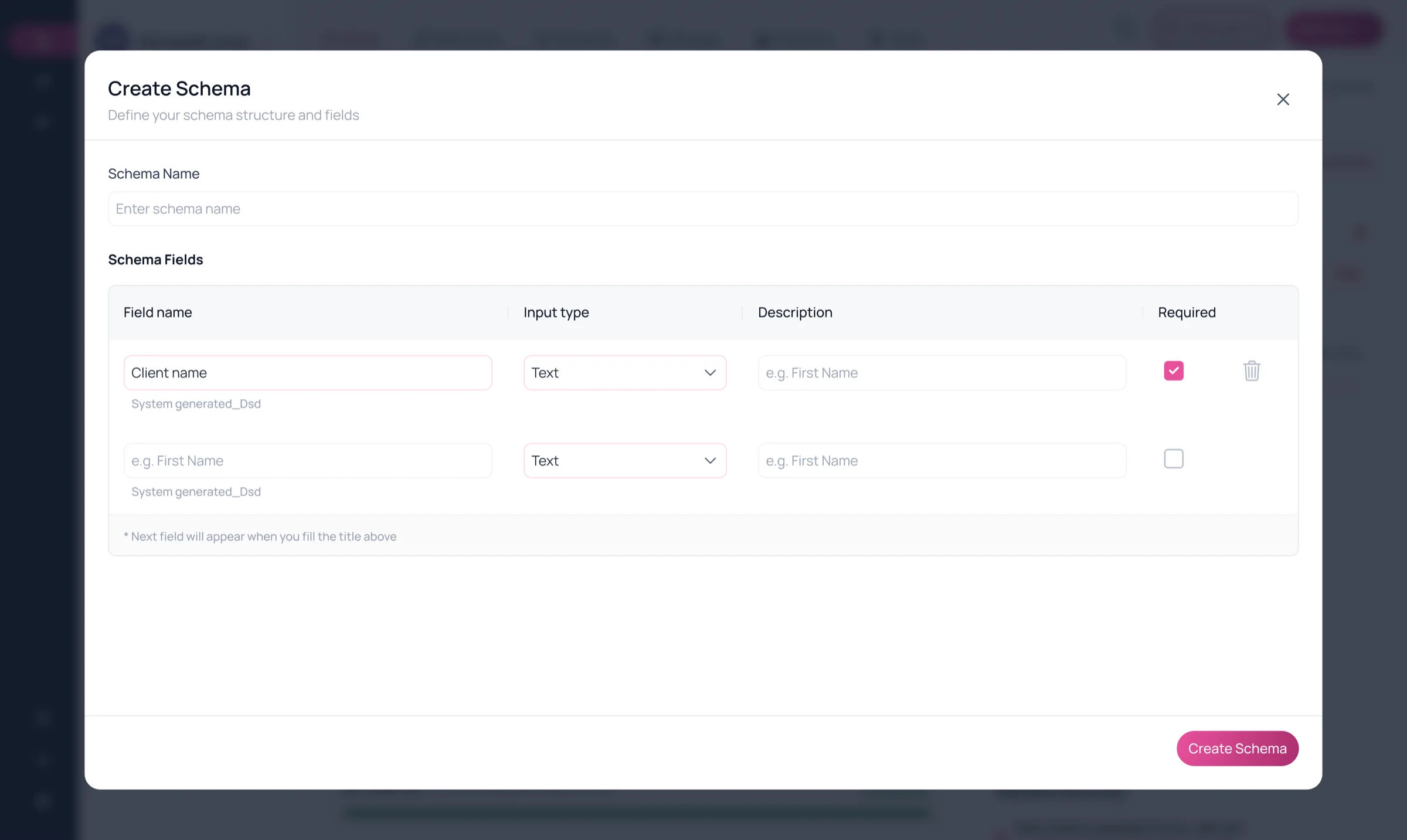
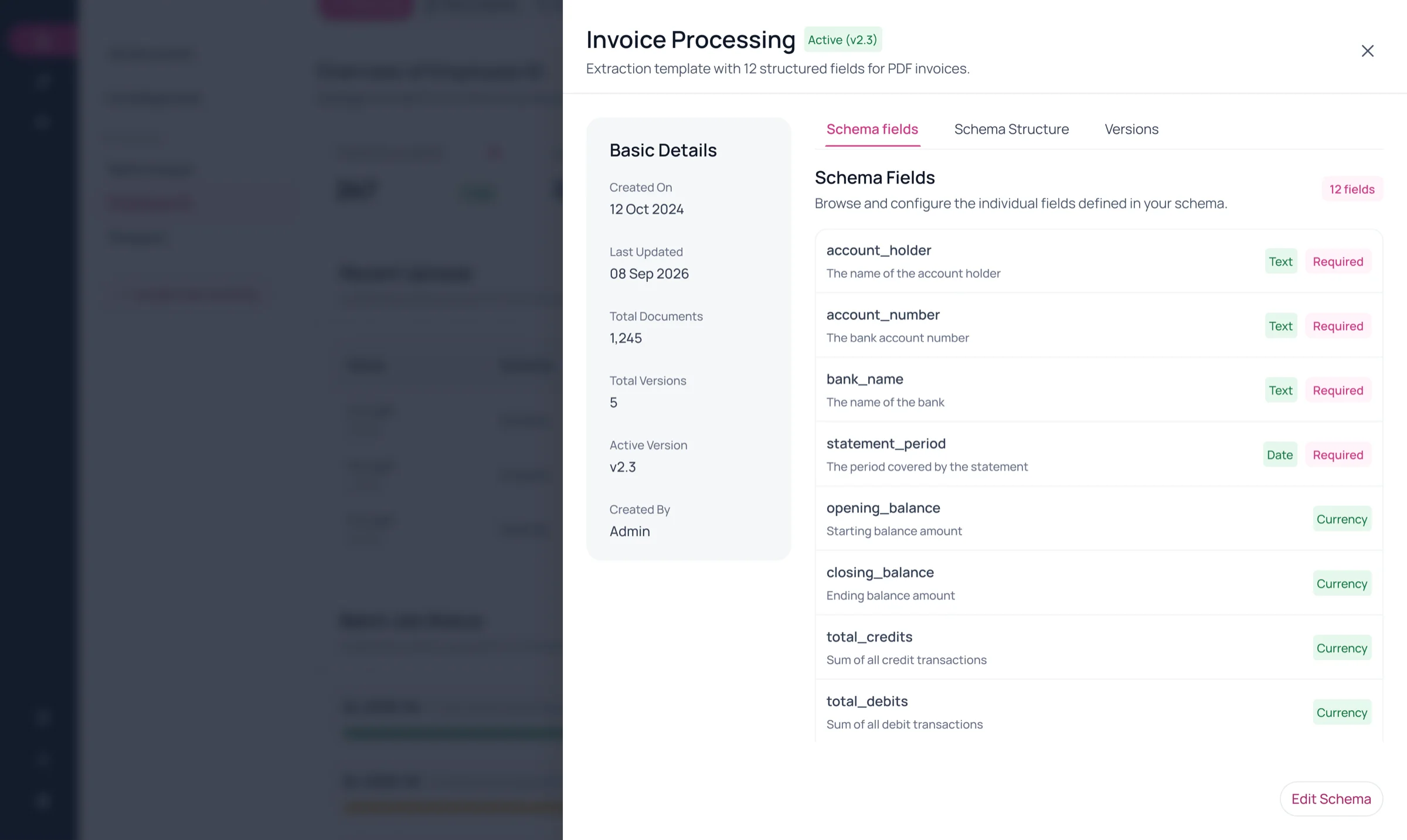
A schema for every document type — drafted for you.
Once a type is known, Varnamala drafts its fields, fills them for every matching document, and keeps the result in a table you can browse, filter and query.
Evidence only
Fields are proposed from what was actually read on the page. If it is not in the document, it is not in the schema.
One vocabulary
Semantic roles and aliases are reused across the workspace, so a name, a date or an ID number means the same thing on every document type.
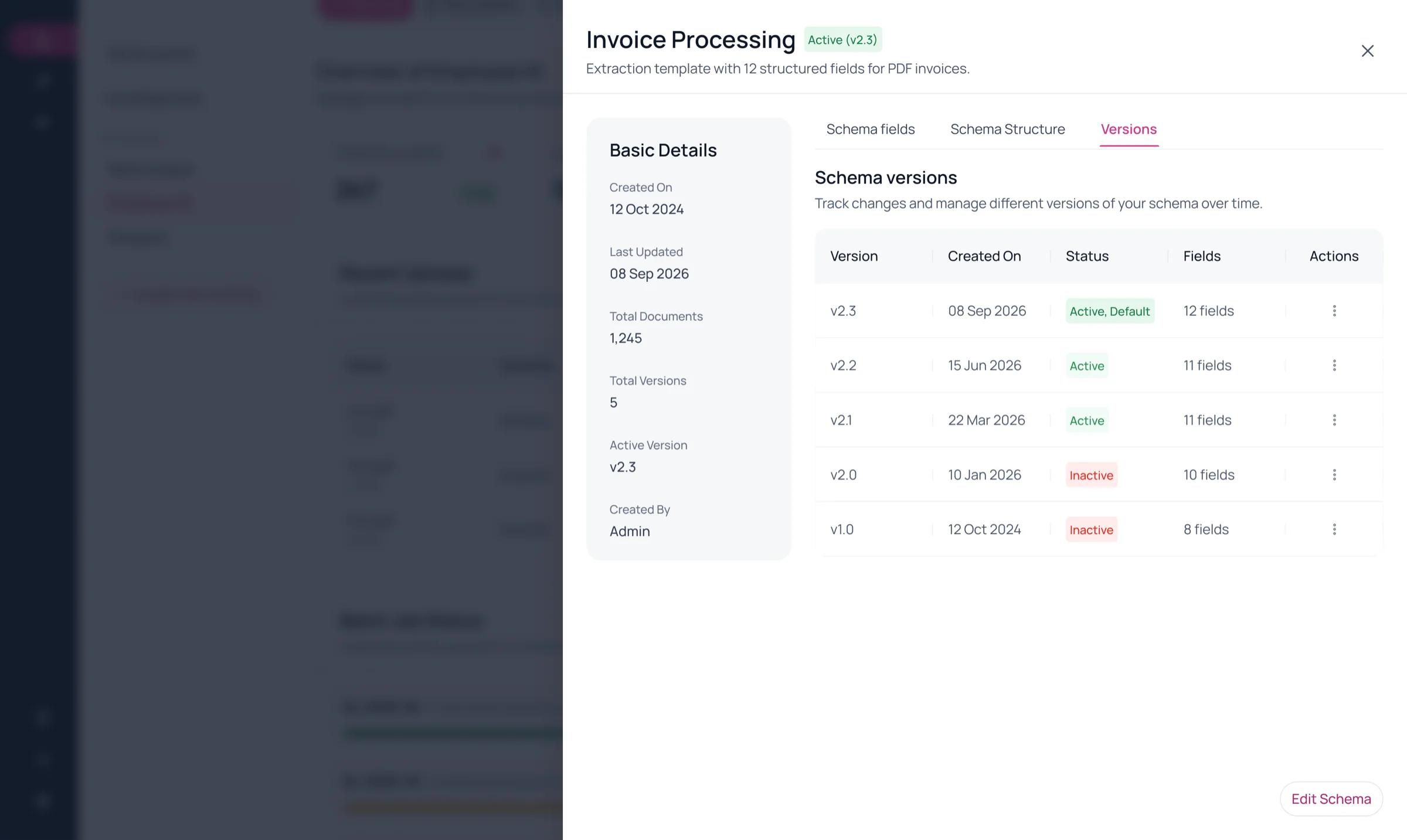
Versioned
Edit a schema and a new version is recorded. Existing records can be migrated to it instead of re-uploaded.
Types and formats
- string
- number
- integer
- boolean
- date
- date-time
- array
- object
Ask your documents
Questions in. Sources out.
Chat is not a guess over loose text. It plans against the structured fields your schemas hold, searches the page text alongside, and cites the documents every answer came from.
- GuardrailPrompt injection and unsafe requests stop here.
- PlanTurns the question into filters over your schemas.
- Clarify · when neededIf a filter is ambiguous, it asks you first.
- RetrieveVector and BM25 keyword search, fused.
- ComputeTotals and differences are calculated, not guessed.
- AnswerWritten from the results, with citations.
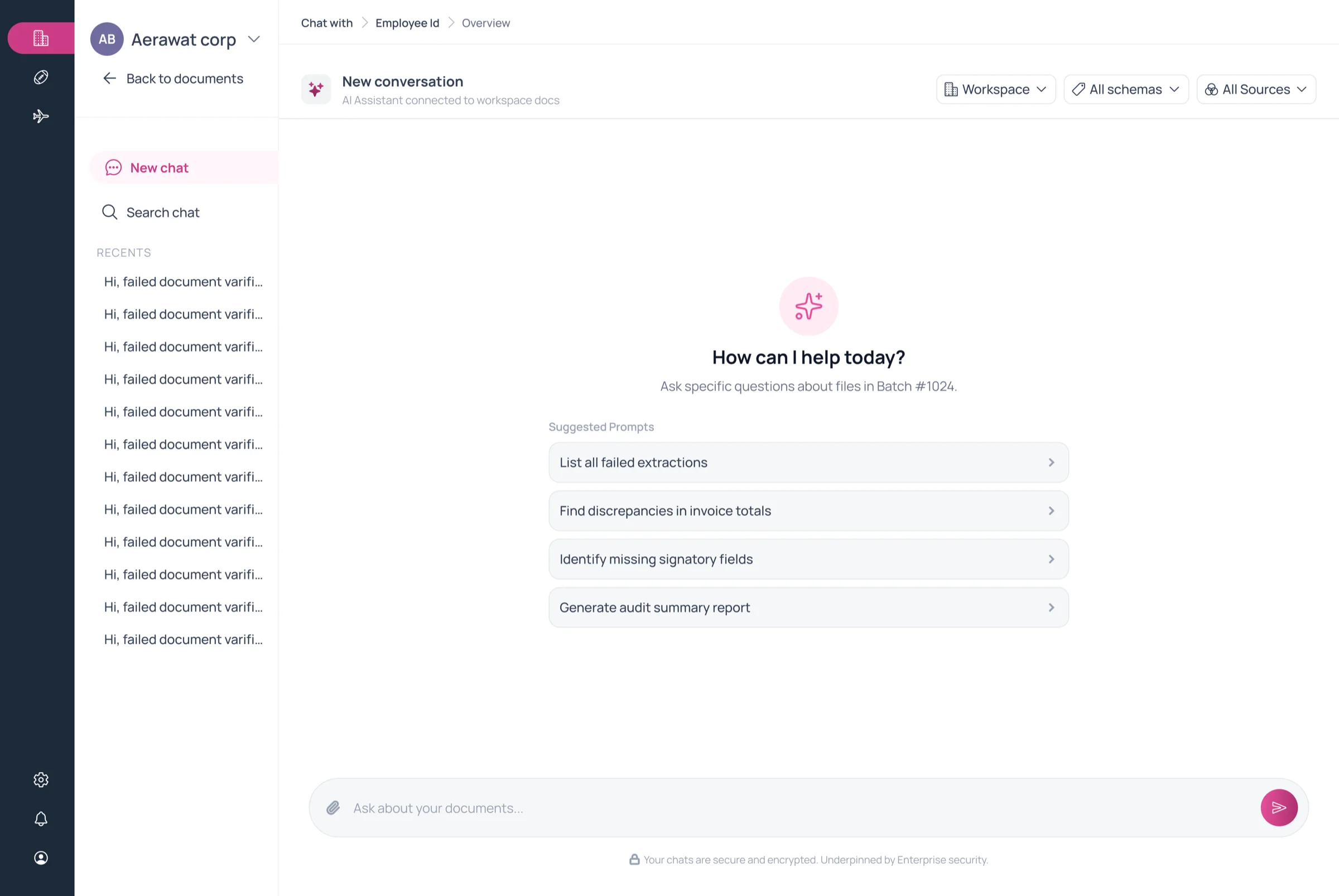
Suggested prompts in the product
- List all failed extractions
- Find mismatched totals across documents
- Identify missing signatory fields
- Generate audit summary report
Ask about a single file from the document viewer, or across everything the workspace lets you see.
Built for real document work
The details that make it hold up at volume.
Batch jobs you can steer
Bulk imports run as jobs with live progress. Pause, resume, cancel, retry the failures, or restart.
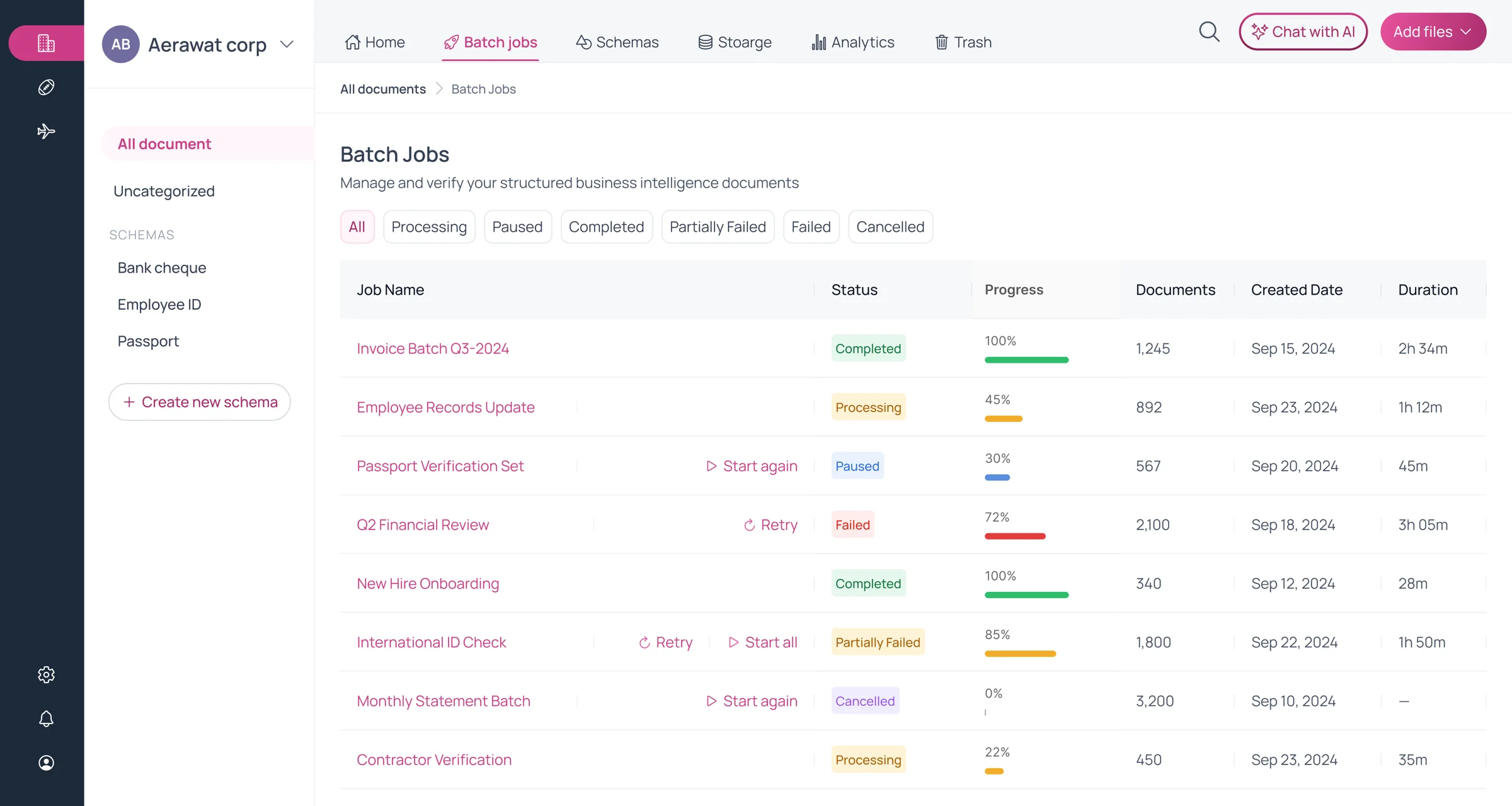
Progress, live
Each stage streams to the browser as it starts.
- Normalizing20%
- Classifying40%
- Structuring82%
- Summarizing85%
- Finalizing88%
- Embedding92%
Same file? Skipped.
A SHA-256 hash catches exact re-uploads in a workspace.
Bikram Sambat, understood
Month names are recognized in Devanagari and romanized spellings, and dates can be shown in BS or AD — or exactly as the document printed them.
- बैशाखBaishakhmonth 1
- जेठJesthamonth 2
- असारAsarmonth 3
Every document, at a glance
Thumbnails from the upright first page, folders, and status filters for success, pending and failed.
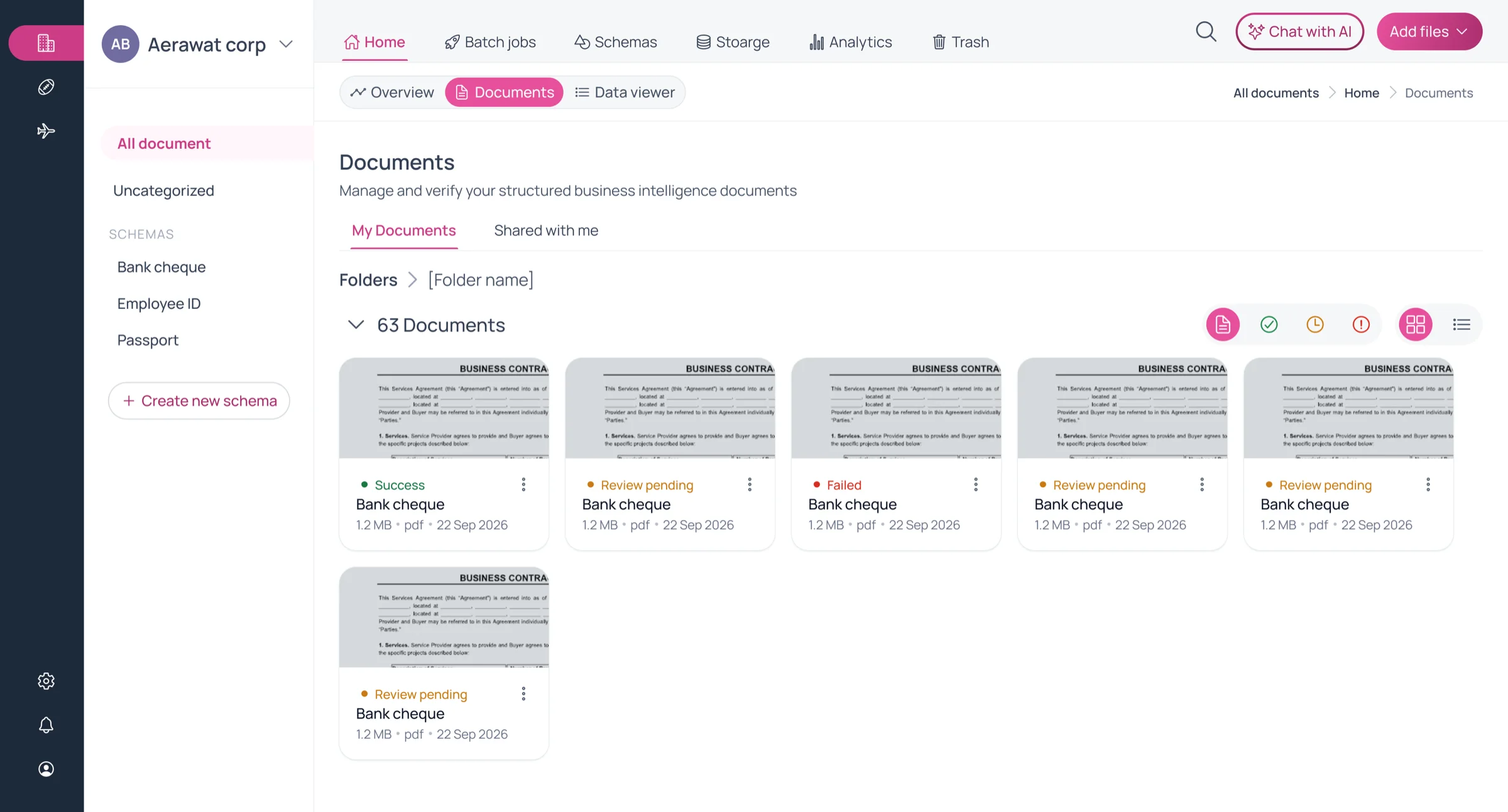
Share, and undo
Share a document or folder with a person. Deleted items go to Trash and can be restored.
Where documents come from
- Upload from device
- Google Drive
- Amazon S3
Governance
Access you can explain to an auditor.
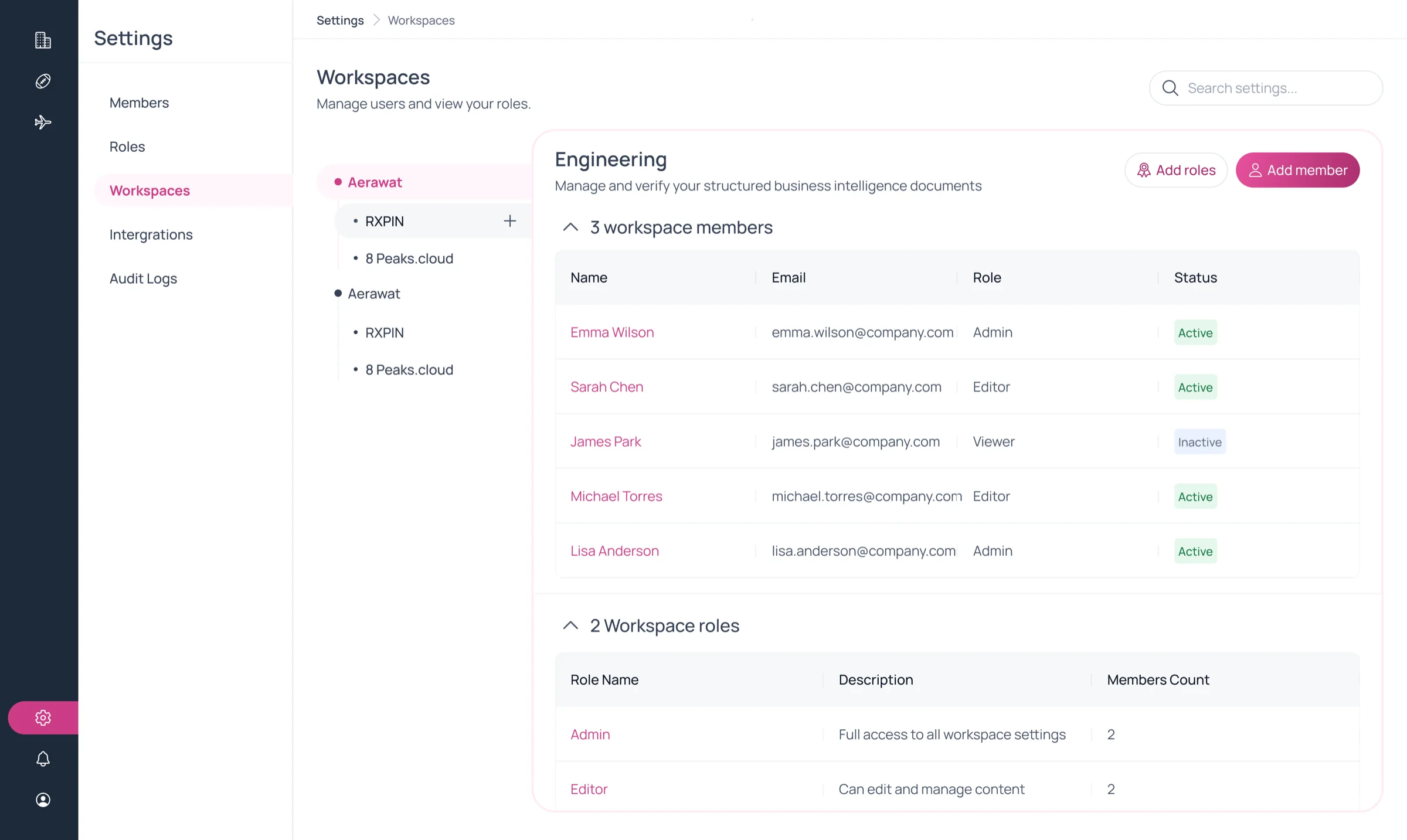
Roles are built from individual permissions, scoped to workspaces, and changes to documents, roles and memberships — plus downloads and denied attempts — land in the audit log.
Nested workspaces
Model teams and departments as a tree. Every user also gets a private workspace of their own.
Membership is not access
Seeing documents is a permission that must be granted — joining a workspace alone reveals nothing.
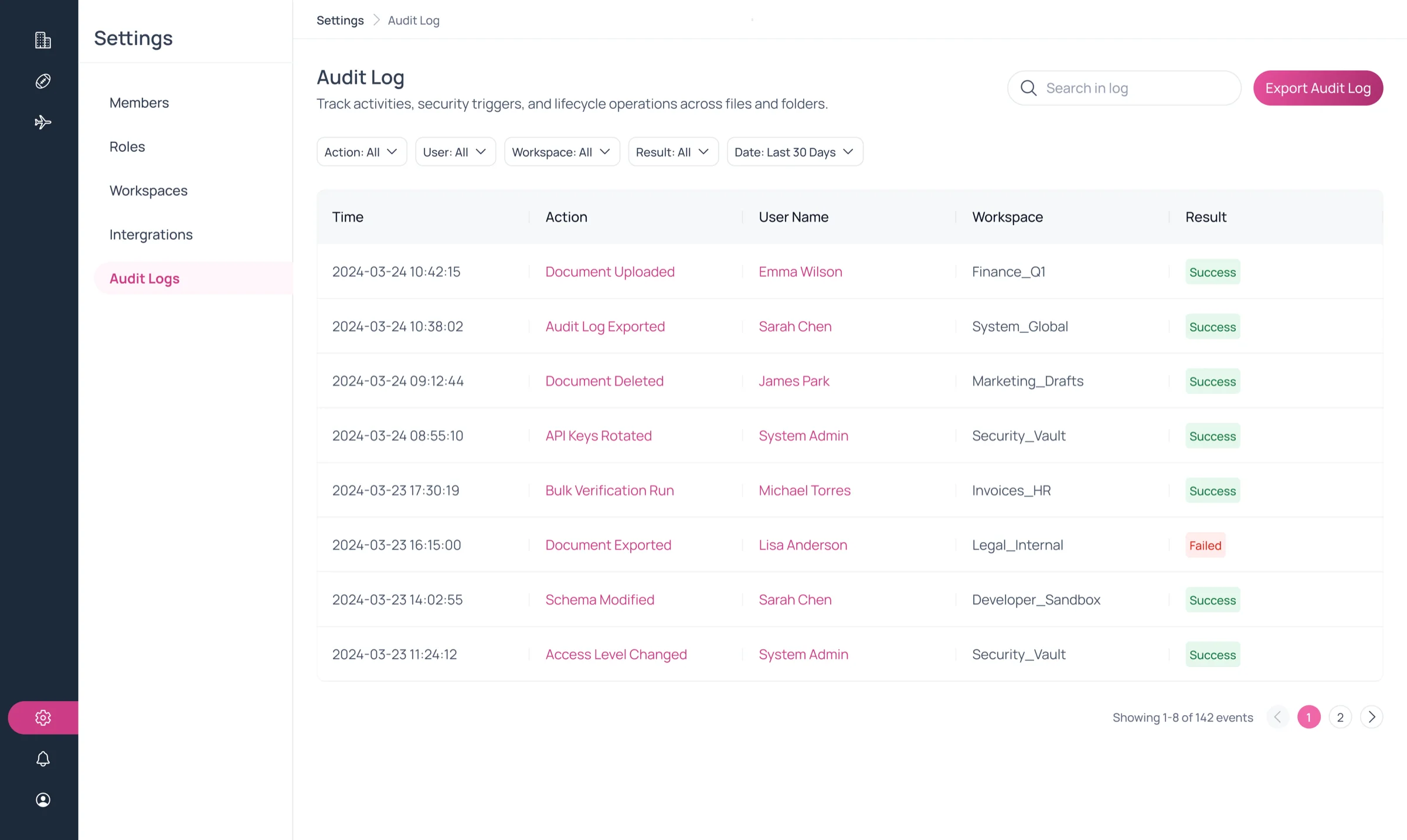
An audit log that cannot be edited
Entries are append-only; the database itself rejects updates and deletes. Filter it, or export it.
Credentials sealed
Connected Google Drive and S3 credentials are encrypted at rest.
- document.view
- document.download
- document.upload
- document.review
- document.auto_approve
- document.share
- folder.create
- entity.edit
- schema.view
- chat.use
- job.retry
- integration.sync
- member.assign
- audit.export
Deployment
Runs where your rules say it must.
Some teams want this managed for them. Others cannot let a scanned citizenship certificate leave the building. Varnamala ships both ways, and the product is the same either way — same review gate, same schemas, same audit log.
Hosted
Varnamala Cloud
We run it. Your workspace is isolated, upgrades arrive without a migration, and a team can be uploading the same day.
- Nothing to install or operate
- Sync from Google Drive and Amazon S3
- New releases applied for you
Self-hosted
On-premise and air-gapped
A single-tenant install in your own VPC, your own data centre, or a network with no route out at all. The documents never leave your perimeter.
- Air-gapped installation supported
- Single tenant, your hardware, your network
- Same product and the same release as the cloud
Models
The Varna family
Our own models, sized to run on your hardware. Pick a size for the GPUs you have, and a track for the job: plain OCR, or text read together with the layout of the page.
| Size | OCRReads the text | BlendedText and page structure |
|---|---|---|
| 4B | Varna-4B-lipi-1 | Varna-4B-mala-9 |
| 8B | Varna-8B-lipi-1 | Varna-8B-mala-9 |
Not sure which you need? Tell us what the documents are and who is allowed to see them, and we will tell you which one fits.
Start with one folder
Give your documents a memory.
Bring a stack of the documents your team retypes today. We will run them through Varnamala with you and show you the fields, the review screen and the answers.